
Dimmd
Dark mode for the Mail app. Dimmd darkens the emails that never got the dark-mode memo — no more white flashbangs in a dark inbox.

Free for 14 days · then US $4.99 once · macOS 13.0 or later · no subscription, no account
This newsletter hard-codes a white background, so it glares at you no matter how dark the rest of your Mac is.



Unsubscribe ·View in browser
Drag the handle — same email, restyled at decode time. Images stay untouched.
Why Dimmd
Native the Mail app
A MailKit extension, not another email client. Your accounts, rules, and archive stay exactly where they are.
Completely private
Everything happens locally, inside Mail's sandbox. Dimmd has no network access — your email never goes anywhere.
Respects good email
Messages that already support dark mode are left alone, signed and encrypted mail is never touched, and light mode is never affected.
How it works
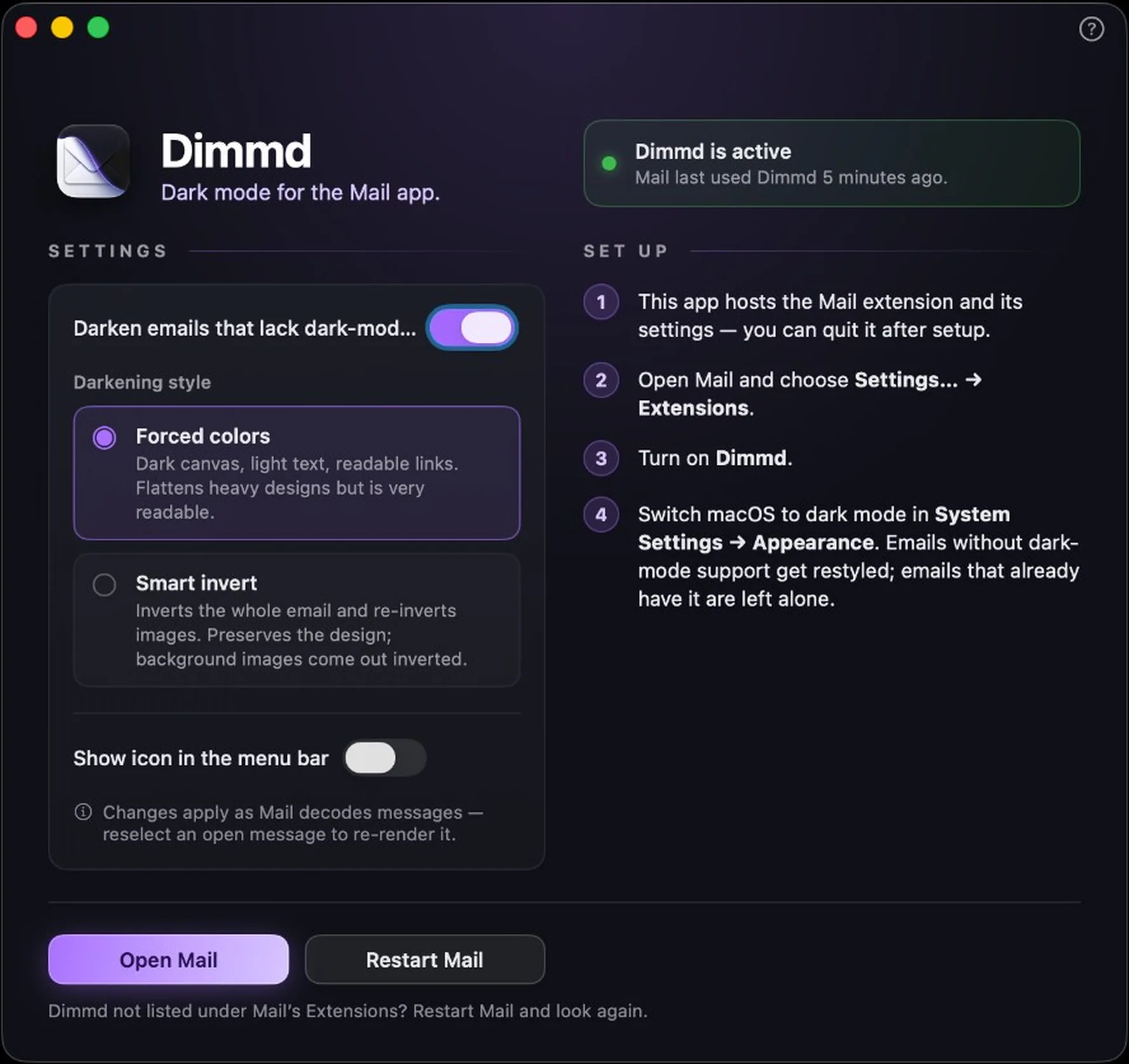
The Mail app supports emails that declare dark-mode styles — but most marketing emails never do, so they render blinding white. Dimmd hooks into Mail's message decoding and injects the missing styles, gated behind the system's dark-mode media query. Choose between two looks: Forced colors (a clean dark canvas with readable text) or Smart invert (preserves the email's original design).
Everything runs locally, inside Mail's sandbox — no network access, no account, and your messages never leave your Mac. Free to download for 14 days; one payment unlocks it forever. No subscription, no nonsense.
In the app
Set it up once,
then forget it's there.
The app hosts the extension and its settings — quit it after setup and Dimmd keeps working inside Mail. A live status banner shows when Mail last used Dimmd, so you're never left wondering whether it's on.
Swap darkening styles — or pause darkening entirely — from the app or straight from the menu bar. New messages pick up the change straight away; for emails Mail has already rendered, Dimmd offers a one-click Mail restart to re-render everything.
Why this exists
Isn’t this built in? Mail’s own use dark backgrounds for messages option only applies when an email hasn’t set its own colours. Most marketing and transactional HTML sets a background explicitly, and that wins — so you still get a white slab in a dark window. Images never invert either, so logos and banners stay white regardless.
We can’t make every sender write dark-mode styles. We can put them back in at decode time, for exactly those emails.
Read your inbox without squinting
On the Mac App Store now — free for 14 days, then US $4.99 once. macOS 13.0 or later, and not a byte leaves your Mac.
Get Dimmd on the Mac App Store